If you’ve ever found yourself pacing around the house, waving your phone in the air to catch a single Wi-Fi bar, you’re not alone. A weak Wi-Fi signal is one of the most frustrating tech problems of modern life — especially when you’re trying to stream, work from home, or enjoy a smooth online gaming session.
In this detailed guide, we’ll explore what causes weak Wi-Fi, how to fix it, and how professionals like Aerial Connect help Gauteng homeowners and businesses get faster, stronger, and more reliable wireless coverage.
Understanding the Root of Weak Wi-Fi Signals
Before you can fix your Wi-Fi, you need to understand why it’s weak in the first place. Wi-Fi works by sending radio waves between your router and connected devices. When those waves are blocked, distorted, or interrupted, your internet connection suffers.
Common causes of weak signals include:
- Distance from the router – The farther you move, the weaker the connection.
- Obstacles and interference – Thick walls, metal objects, and electronic devices can distort signal waves.
- Outdated equipment – Older routers often can’t handle the speeds or frequencies of modern devices.
- ISP or network congestion – Slow speeds can also be a service provider issue rather than a Wi-Fi problem.
When you understand the problem, you’re halfway to the solution.
The Science Behind Wi-Fi Strength
Wi-Fi signal strength is measured in decibel milliwatts (dBm). A reading between -30 dBm to -67 dBm is considered strong. Anything weaker than -70 dBm will result in buffering, slow downloads, and connection drops.
If you’re using a smartphone or laptop, you can download apps like WiFi Analyzer or NetSpot to measure your signal strength in different rooms. This helps you pinpoint “dead zones” where your connection fades.
Signs You’re Suffering from Weak Wi-Fi
Not sure if your Wi-Fi is weak or if it’s just the internet provider acting up? Here’s how to tell the difference:
- Pages load slowly or only partially.
- Video streams buffer frequently or drop in quality.
- Online meetings disconnect or freeze.
- Smart devices like TVs or cameras lose connection.
- Wi-Fi works well near the router but fails in other rooms.
If these symptoms sound familiar, it’s time to take action.
DIY Fixes for Weak Wi-Fi Signals
Before calling a technician, try these practical fixes. They can make a surprising difference in minutes.
1. Reposition Your Router
Router placement is the number one cause of poor Wi-Fi.
- Keep it in the center of your home or office.
- Avoid corners, floors, or inside cabinets.
- Elevate it on a shelf to improve coverage.
- Stay clear of microwaves or cordless phones — they operate on the same frequency and interfere with Wi-Fi signals.
2. Update Your Router Firmware
Many people ignore router updates, but they’re vital for performance and security. Go into your router’s settings (usually found at 192.168.1.1) and check for firmware updates. Modern routers often have “auto-update” features — enable them.
3. Change Wi-Fi Channels or Bands
If you live in a busy neighborhood, nearby networks can cause channel interference.
- For older routers, switch from Channel 6 to Channel 11 or 1 on the 2.4GHz band.
- For dual-band routers, try connecting to 5GHz instead — it’s faster and less congested.
4. Restart Your Network Regularly
Just like computers, routers benefit from an occasional reboot. Turn it off for 30 seconds, then power it back on. This clears cached errors and resets the signal.
5. Upgrade to a Mesh Wi-Fi System
If you live in a double-story house or large office, a mesh Wi-Fi system might be your best option. It uses multiple small routers that communicate with each other to cover the entire area evenly.
Professionals like Aerial Connect’s Wi-Fi Optimization Experts install and configure these systems across Gauteng, ensuring strong signals in every room — even in tricky spots like garages, patios, or outbuildings.
When DIY Isn’t Enough — Professional Wi-Fi Optimization
Sometimes, weak signals go beyond what repositioning or rebooting can solve. If you’ve already tried basic fixes and your signal still drops, you may need a Wi-Fi optimization service.
Professional technicians use specialized equipment to:
- Analyze signal distribution across your property.
- Identify interference sources (like neighboring routers).
- Recommend or install upgraded routers, extenders, or mesh systems.
- Configure optimal frequency and channel settings.
If you’re based in Gauteng, services like Aerial Connect’s Home and Business Wi-Fi Optimization provide full-scale solutions designed to match your building layout and device requirements.
Real Example: The Office That Couldn’t Connect
A small accounting firm in Pretoria East struggled with Wi-Fi drops every afternoon. Employees couldn’t upload reports or conduct video calls. After a full site analysis by Aerial Connect, the technicians discovered that a nearby security system was interfering with their router frequency.
After reconfiguring the channels and installing two mesh nodes, the office now enjoys seamless coverage — and productivity skyrocketed.
Now that we’ve covered the basic troubleshooting methods, let’s move into advanced Wi-Fi optimization techniques. These are the strategies that separate a good signal from a flawless, high-speed connection — the kind that never drops during your Zoom meeting or movie night.
Understanding Signal Interference and Wi-Fi Congestion
Your Wi-Fi operates on specific frequencies (2.4GHz and 5GHz), but so do countless other household devices. Microwaves, Bluetooth speakers, cordless phones, and even baby monitors can cause signal congestion.
This interference is one of the main reasons why your Wi-Fi works fine one minute and slows to a crawl the next.
Here’s how to minimize interference:
- Keep routers at least 1 meter away from electronic devices.
- Use shielded Ethernet cables for your primary connections.
- Switch to the 5GHz band, which has more available channels and less overlap.
- If your router supports Wi-Fi 6, enable it — it’s designed to handle congestion better.
If interference persists, professional optimization might be needed. Companies like Aerial Connect Wi-Fi Specialists use advanced testing tools to locate and eliminate interference sources in your home or office.
Upgrade Your Router – The Heart of Your Network
Even the best troubleshooting won’t fix weak Wi-Fi if your router is outdated. Most routers lose efficiency after 3–5 years of heavy use.
When upgrading, consider these factors:
1. Dual-Band or Tri-Band Technology
Modern routers operate on both 2.4GHz and 5GHz bands, while some high-end routers include a third 6GHz band for ultra-fast Wi-Fi 6E connections. This separation prevents overcrowding and ensures consistent performance.
2. MU-MIMO (Multi-User, Multiple Input Multiple Output)
This feature allows multiple devices to connect simultaneously without slowing down the network — perfect for homes with smart TVs, gaming consoles, and multiple smartphones.
3. Beamforming Technology
Routers with beamforming can direct Wi-Fi signals toward connected devices rather than spreading them evenly in all directions. This significantly increases range and strength.
If you’re unsure which router suits your space, Aerial Connect’s Wi-Fi Optimization Team can recommend and install the ideal setup for your environment.
Use Wi-Fi Range Extenders or Mesh Systems
If you live in a multi-story home, large office, or building with thick concrete walls, your router’s signal won’t reach every corner. That’s where range extenders and mesh Wi-Fi systems come in.
Wi-Fi Range Extenders
- They receive your main router’s signal and amplify it further into dead zones.
- Best for small spaces where a little extra boost is needed.
- Affordable but may create a secondary network (like “HomeWiFi_EXT”).
Mesh Wi-Fi Systems
- They create a single seamless network throughout your property.
- Ideal for large homes, duplexes, or offices.
- Offer better reliability and performance than extenders.
Technicians from Aerial Connect’s Mesh Network Services can install and configure these systems professionally, ensuring consistent coverage from your lounge to your garden.
Optimize Router Placement with Smart Tools
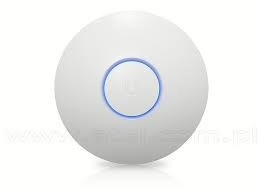
Did you know that even small adjustments in your router’s position can improve signal by up to 30%?
Use these tools to analyze your Wi-Fi layout:
- WiFi Analyzer (Android) – shows coverage heat maps and interference.
- NetSpot (Windows/Mac) – creates detailed signal strength visualizations.
- Fing App (iOS/Android) – monitors network load and device connections.
By scanning your environment, you can find the best router position — often midway between the main living area and the most-used devices.
If manual optimization sounds too technical, professional technicians from Aerial Connect’s Gauteng Wi-Fi Optimization Team can handle it for you. They use professional signal-mapping software to identify weak points and determine optimal placement.
Reduce Device Overload on Your Network
A common reason for weak Wi-Fi is too many connected devices. Between smartphones, tablets, TVs, and smart home gadgets, a typical home may have 15+ connections at once.
Every connected device uses bandwidth — even when idle.
To fix this:
- Log into your router dashboard.
- Check for unused or unauthorized devices.
- Disconnect what you don’t need.
- Assign priority access (QoS) to devices that need stable connections (like laptops or TVs).
By optimizing device load, you can double your effective speed without upgrading your plan.
Secure Your Network from Bandwidth Leechers
Weak Wi-Fi isn’t always caused by signal issues — sometimes, neighbors or hackers may be using your network.
Here’s how to prevent it:
- Change your Wi-Fi password regularly.
- Use WPA3 encryption for maximum security.
- Disable WPS (Wi-Fi Protected Setup) — it’s vulnerable to attacks.
- Check your router’s connection logs for unknown devices.
Aerial Connect’s experts can help you configure your router securely while ensuring maximum performance.
Story: From Laggy Streaming to Lightning Speeds
In one Johannesburg home, a family struggled with streaming interruptions and poor signal in the upstairs bedrooms. They’d already tried moving their router and changing channels — nothing worked.
After booking Aerial Connect’s Wi-Fi Optimization Service, technicians identified two major issues: thick reinforced walls blocking the signal and outdated firmware.
They replaced the old router with a dual-band mesh system and configured smart placement across the home. Within hours, the family enjoyed full-strength coverage — even on the patio.
Now, they stream, work, and game simultaneously without a single lag spike.
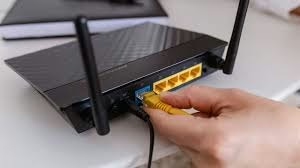
By now, you’ve learned how to troubleshoot, optimize, and upgrade your home network. But for many homeowners and small businesses, maintaining a strong, reliable Wi-Fi signal goes beyond DIY solutions.
Let’s look at how to keep your connection consistently powerful — and when it’s time to call in a professional.
When to Call a Wi-Fi Specialist
If you’ve tried repositioning your router, adjusting channels, and adding extenders but still face weak signal spots or slow speed, it’s time to get professional assistance.
A Wi-Fi optimization expert has tools that measure signal strength, interference, and coverage — things you can’t easily test on your own.
Here’s when to contact a Wi-Fi specialist like Aerial Connect:
- Your Wi-Fi signal drops in specific rooms or areas.
- Speeds fluctuate even after upgrading your router.
- You experience lag during streaming, gaming, or online meetings.
- You’re using multiple access points or mesh nodes that don’t sync properly.
- Your home or office has thick walls or multiple floors.
Aerial Connect’s certified technicians use signal mapping tools and professional analyzers to detect the exact cause of weak Wi-Fi — from interference and poor placement to outdated hardware — and then fine-tune or replace what’s needed.
Professional Wi-Fi Optimization Services in Gauteng
At Aerial Connect, we specialize in Wi-Fi installation and optimization across Gauteng — helping homeowners, offices, and commercial properties achieve fast, stable, and wide coverage.
Our services include:
🔧 1. Wi-Fi Network Design & Installation
We plan and install custom Wi-Fi systems based on your space layout, ensuring there are no dead zones.
📶 2. Mesh Network Setup
We configure modern mesh systems that deliver seamless connectivity throughout your home or business.
🧭 3. Signal Testing & Troubleshooting
Using advanced diagnostic equipment, we pinpoint weak spots, interference, and incorrect settings.
🧱 4. Router Configuration & Channel Optimization
We adjust your router’s frequencies, channels, and positioning for maximum strength and stability.
🔒 5. Secure Network Setup
We protect your Wi-Fi with WPA3 encryption, disable weak settings, and prevent unauthorized access.
Whether you’re in Johannesburg, Sandton, Centurion, Midrand, Pretoria, or Randburg, Aerial Connect provides fast, on-site Wi-Fi fixes that keep your home or business online and optimized.
Tips to Maintain a Strong Wi-Fi Signal Long-Term
Even after fixing your weak signal, it’s important to maintain your network’s health. Here’s how to keep it performing at its best:
✅ 1. Update Firmware Regularly
Router manufacturers release updates that improve performance and security. Check for updates every few months.
✅ 2. Restart Your Router Weekly
Rebooting helps clear memory and refresh connections.
✅ 3. Limit Bandwidth-Hungry Apps
Use router settings or parental controls to manage streaming, gaming, or heavy downloads that can slow others down.
✅ 4. Place Your Router Strategically
Avoid corners, floors, or hidden spots. Central, elevated positions work best.
✅ 5. Schedule Professional Check-Ups
Like your car or DStv installation, Wi-Fi networks need periodic inspection. Aerial Connect offers maintenance visits to ensure everything runs smoothly.
FAQs: Weak Wi-Fi Signal Issues
Q1. Why is my Wi-Fi strong in one room but weak in another?
Walls, furniture, and even metal objects can block signals. The router’s distance and direction also matter — consider repositioning or using a mesh system.
Q2. Does upgrading my internet package fix weak Wi-Fi?
Not always. A faster plan helps only if your signal quality is good. Weak coverage still causes poor performance even with high speeds.
Q3. Is it better to use a Wi-Fi extender or mesh system?
For small spaces, an extender works fine. For large homes or offices, mesh systems offer seamless coverage without multiple logins.
Q4. Can outdated routers cause weak Wi-Fi?
Yes. Old routers often lack modern technologies like beamforming or Wi-Fi 6 — upgrading can dramatically improve performance.
Conclusion: Get Professional Help and Stay Connected
A weak Wi-Fi signal can be frustrating — buffering videos, dropped calls, and slow loading times all add up. But with the right mix of troubleshooting, upgrades, and expert optimization, your home or business can achieve lightning-fast, reliable coverage everywhere.
If you’ve tried everything and your signal is still weak, it’s time to let the professionals handle it.
📞 Need Help Fixing Your Weak Wi-Fi Signal?
Contact Aerial Connect – Gauteng’s Wi-Fi Optimization Experts.
We’ll diagnose, fix, and future-proof your network so you never deal with weak Wi-Fi again.
✅ Wi-Fi Installation & Optimization
✅ Mesh Network Setup
✅ Signal Testing & Coverage Mapping
✅ Router Configuration & DStv Connectivity
📍 Serving: Johannesburg | Centurion | Pretoria | Midrand | Sandton | Randburg | and surrounding areas
📲 Chat with us directly on WhatsApp: Click Here to Message Aerial Connect
🌐 Visit our website: www.aerialconnect.co.za