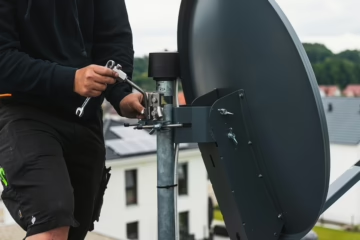
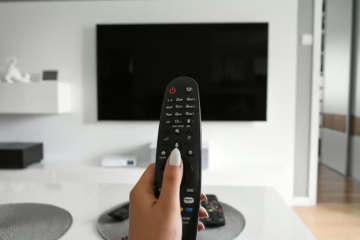
Introduction: The Dreaded “No Signal” Screen
You’re ready to relax, remote in hand, and suddenly — boom — the dreaded “No Signal” message flashes across your TV screen. The match you’ve been waiting all week for? Gone. The movie you paid for on BoxOffice? Paused indefinitely.
This frustrating issue is one of the most common problems DStv users face, and while it might seem like a big deal at first, it’s often a simple fix. Whether you’re in Pretoria, Centurion, or Johannesburg, this guide will help you troubleshoot the issue step by step — and know when it’s time to call in the experts at Aerial Connect DStv Repairs Near Me . Call / Whatsapp 081 730 1035
.
In this detailed article, we’ll cover:
- What causes the DStv “No Signal” error
- How to fix it yourself before calling a technician
- Common myths and mistakes that make it worse
- When to contact a professional installer
- How to prevent it from happening again
Understanding the “No Signal” Error on DStv
The “No Signal” message doesn’t necessarily mean your decoder is broken. In most cases, it simply means that your decoder isn’t receiving a proper signal from the satellite dish.
This could be due to several reasons, including:
- Misaligned or damaged satellite dish
- Loose or faulty cabling
- Bad weather conditions interfering with signal transmission
- Incorrect decoder settings or software glitches
- Faulty LNB (Low Noise Block) component
Before you panic or rush to buy a new decoder, it’s worth checking these possible causes one by one

.
Quick Fixes Before Calling a DStv Technician
Let’s start with simple troubleshooting steps you can try at home. Many users fix their “No Signal” issue without needing a professional service.
1. Check Your Cable Connections
Sometimes the simplest fix is the one we overlook.
- Ensure the cable from your dish is securely connected to the LNB IN port on your decoder.
- Check for loose plugs, bent pins, or damaged coaxial cables.
- If your cable runs outside, inspect it for wear and tear caused by weather or pests.
If you notice frayed or damaged cables, it’s best to have them replaced by a professional DStv technician in Centurion.
2. Check the Weather
Bad weather is one of the most common (and often temporary) causes of signal loss.
Heavy rain, storms, or high winds can interfere with satellite communication. If the “No Signal” message appears during bad weather, wait for conditions to improve before troubleshooting further.
If it persists even after clear skies return, you may be dealing with dish misalignment or LNB failure.
3. Restart Your Decoder
A simple decoder reboot often resolves temporary glitches.
Here’s how:
- Turn off your DStv decoder and unplug it from the wall socket.
- Wait 30 seconds.
- Plug it back in and power it on.
This resets the decoder’s internal processes and can restore lost communication with the satellite dish.
4. Check the Signal Strength on Your Decoder
DStv decoders allow you to view live signal strength and quality readings.
Follow these steps:
- Press the “Menu” button on your remote.
- Go to Settings → Satellite Settings → Signal Strength.
- You’ll see two bars: Signal Strength and Signal Quality.
A healthy connection typically shows above 80% strength and over 60% quality.
If either is low or zero, your dish may be misaligned.
Why Dish Alignment Matters
Your satellite dish needs to face a specific direction to receive signals from the Intelsat 20 satellite, which DStv uses. Even a small movement — caused by strong wind or poor installation — can completely disrupt your reception.
That’s why precise alignment using professional meters is crucial. While some homeowners try to adjust the dish themselves, it’s risky and often makes the problem worse.
To ensure proper realignment, you can contact Aerial Connect’s DStv Dish Alignment Experts in Pretoria East. Their certified technicians use digital signal meters to fine-tune your dish for maximum performance.
Common Signs of Dish Misalignment
You might notice one or more of these symptoms when your dish is out of position:
- Signal keeps cutting in and out
- Some channels show “Searching for Signal” while others work fine
- Picture pixelates or freezes intermittently
- Error messages like E48-32 or E143-0 appear on the screen
If any of these sound familiar, your dish likely needs professional adjustment.
The Role of the LNB in DStv Signal Transmission
The LNB (Low Noise Block) is a small but critical device mounted on your satellite dish arm. It captures satellite signals and transmits them to your decoder.
When your decoder shows “No Signal,” the LNB could be:
- Misaligned
- Cracked or water-damaged
- Worn out due to age
Replacing a faulty LNB is inexpensive and takes only 15–20 minutes when handled by an experienced technician.
Can You Fix a No-Signal Error Yourself?
In some cases, yes — especially when the issue is caused by loose cables, temporary interference, or decoder software glitches.
However, you should never climb your roof or adjust the dish without proper tools or training. Apart from safety risks, incorrect alignment can make the issue worse and lead to extra repair costs later.
If you’ve already tried the basic steps and the signal problem persists, your best option is to call a local DStv repair expert like Aerial Connect DStv Repairs Pretoria for a same-day solution.
Key Takeaway So Far
- “No Signal” doesn’t always mean hardware failure.
- Start by checking cables, weather, and decoder settings.
- Persistent problems usually mean dish misalignment or a faulty LNB.
- Always use qualified installers for dish adjustment or signal repairs.
What to Do When DStv Says No Signal?
Now that we’ve covered the basic troubleshooting steps, let’s go deeper into advanced diagnostics, real-life scenarios, and expert solutions from professional DStv technicians. This section will help you understand how to identify deeper issues — and how to prevent them from happening again.
Advanced Troubleshooting: When the Basics Don’t Work
Sometimes, your DStv setup needs more than just a reboot or cable check. The following advanced solutions are designed for persistent signal loss issues that simple DIY fixes can’t resolve.
1. Resetting Your DStv Decoder Software
If you’ve ruled out dish and cable problems, the issue could lie in your decoder software. Corrupted data or outdated firmware can interrupt signal communication.
Here’s how to perform a factory reset safely:
- Press the “DStv” button on your remote.
- Go to Settings → System Settings → Reset Decoder Settings.
- Select Factory Defaults.
- Confirm and allow the decoder to restart.
This will erase all stored data, so your decoder will reload all default settings and rescan for channels.
⚠️ Tip: Always ensure your decoder is connected to the dish before performing a reset — otherwise, you’ll lose your channel list.
2. Diagnosing Error Codes (E48-32, E143-0, and More)
DStv decoders often display error codes that help identify specific issues. Understanding them will save you time and frustration.
Here’s a quick guide:
| Error Code | Meaning | Solution |
| E48-32 | No signal or signal too weak | Check cable and dish alignment |
| E143-0 | Viewing card not paired or connection lost | Restart decoder or call DStv helpline |
| E16-4 | Subscription not active | Check payment or reset via MyDStv App |
| E19-4 | Channel not authorized | Reboot decoder or refresh subscription |
If you keep getting E48-32, even after checking your cables, it’s almost always a dish alignment or LNB issue.
For fast and reliable repairs, you can reach out to the certified team at Aerial Connect DStv Repairs in Pretoria East, who specialize in fixing E48-32 and other signal-related issues.
3. Checking Your Smart LNB Connections
Your Smart LNB acts as the bridge between your satellite dish and decoder. If connected incorrectly, your decoder can’t process incoming signals properly.
Check that:
- The cable is connected to the correct LNB port (usually LNB 1 IN).
- There are no splitters or joiners disrupting signal flow.
- The LNB arm is securely mounted and water-free.
If you’re using multiple decoders in an Extra View setup, make sure the cabling follows the correct pattern as per DStv’s Smart LNB guidelines.
4. Inspecting the Dish Bracket and Alignment
A surprisingly common reason for persistent “No Signal” errors is a loose or bent dish bracket. Over time, harsh weather or poor installation can slightly tilt your dish, throwing off its alignment.
Professional technicians use digital meters to measure signal frequency and quality in real time. This allows precise adjustment to achieve optimal signal lock.
If your dish was installed years ago or you recently moved, book a signal re-alignment service through Aerial Connect’s DStv Installers Centurion to restore peak performance.
Environmental Factors That Affect Your DStv Signal
Even a perfectly installed system can experience temporary interruptions due to environmental or geographical conditions. Here are the most common external factors that reduce signal strength.
1. Weather Conditions
- Heavy rain causes signal scattering (known as rain fade).
- Strong winds can slightly move your dish out of alignment.
- Hail or lightning storms can damage the LNB or cabling.
While you can’t control the weather, regular inspections help detect small issues before they become bigger problems.
2. Obstructions
If your dish was installed years ago, nearby trees or new buildings might now block its line of sight to the satellite. Even minor obstructions can degrade your signal quality.
Technicians may recommend relocating your dish to a higher or clearer position for better reception.
3. Rust and Corrosion
Over time, outdoor metal parts of your dish setup can corrode, especially in coastal or humid areas. This affects signal reflection and grounding.
Rust-resistant coatings or periodic maintenance checks from experts like Aerial Connect DStv Repairs Near Me can prevent costly replacements later.
Case Study: How Aerial Connect Resolved a Persistent Signal Loss
Let’s look at a real example from Irene, Centurion, where a client reported repeated “No Signal” issues despite multiple attempts to fix it.
The homeowner had replaced the decoder twice and re-cabled the setup, yet the problem persisted. When Aerial Connect’s team arrived, they discovered the dish was misaligned by just 3 degrees due to an unstable bracket.
After realignment and securing the mounting, the signal strength improved from 35% to 92%, restoring full HD quality instantly.
“I couldn’t believe such a small adjustment made that big of a difference. I wish I’d called Aerial Connect first!” – Thabo M., Irene
This story highlights how precision, not guesswork, solves 90% of DStv signal problems.
Preventing Future “No Signal” Problems
Here are practical tips to keep your DStv system running smoothly all year round:
1. Schedule Routine Maintenance
Book a yearly dish inspection with a professional installer. They’ll check cable integrity, LNB performance, and alignment accuracy.
2. Secure Your Dish Mount
Ensure your dish bracket is properly anchored, especially in high-wind areas. Rusted or loose mounts are a major cause of signal drift.
3. Use Quality Cables
Always use RG6 or RG11 satellite-grade coaxial cable to minimize signal loss.
4. Keep an Eye on Obstructions
Trim trees or remove items that might block your dish’s line of sight.
5. Avoid DIY Repairs
While it’s tempting to fix things yourself, improper adjustments can lead to bigger problems. Always rely on experienced professionals like Aerial Connect for reliable service.
When to Call a DStv Repair Expert
If you’ve tried all the steps above and still see “No Signal,” it’s time to bring in an expert.
You should call a technician if:
- You’re experiencing frequent or random signal drops
- Channels freeze or pixelate
- You’ve recently experienced a storm
- You moved your dish or relocated homes
Professionals have signal meters, Smart LNB testers, and replacement parts to fix the issue quickly — often within 45 minutes
ou’ve learned how to diagnose and fix most signal issues — but what happens when the problem persists even after every check? In this final section, we’ll dive into common customer questions, repair costs, expert insights, and the ultimate solution to ensure your DStv stays crystal-clear all year round.
Frequently Asked Questions About DStv “No Signal” Problems
Let’s tackle the questions most DStv viewers ask when they encounter that dreaded error message.
1. Why does my DStv say “No Signal” on some channels only?
This usually happens when your dish alignment or LNB port is slightly off. Each channel broadcasts at a different frequency, and if the dish isn’t perfectly aligned, some channels will lose signal before others.
Try running a signal test via Settings → Satellite Settings → Signal Strength. If you see that some transponders show “0%,” it’s best to contact a professional installer to re-align your dish.
2. Can bad weather permanently damage my DStv signal?
In most cases, weather interference is temporary, especially heavy rain or thunderstorms. However, repeated exposure to moisture can corrode connectors or loosen fittings.
If your dish gets hit by lightning or the mount shakes in strong winds, you may need a full inspection from Aerial Connect’s DStv Repairs Near Me for safety and performance assurance.
3. What if I get a “No Signal” message after moving homes?
Moving your DStv system is not as simple as reconnecting cables. The new location might face a different satellite direction or signal obstruction.
A professional from Aerial Connect DStv Installations in Pretoria East can help you re-install and realign the dish correctly for your new environment.
4. Why does my DStv work during the day but lose signal at night?
This can happen if your LNB or cabling is temperature-sensitive. At night, cooler temperatures may cause slight contraction in cables, disrupting continuity. It’s also possible that moisture builds up inside connectors.
A qualified technician can test for these variations and replace cables with weatherproof ones.
5. Should I replace my DStv dish if it’s more than 5 years old?
Yes — if your dish shows visible rust, dents, or corrosion, it’s wise to replace it. Old dishes often weaken signal reflection and stability.
A new 90cm high-gain satellite dish offers stronger reception, especially in areas like Roodepoort and Centurion, where heavy rain can affect weaker dishes.
How Much Does DStv “No Signal” Repair Cost?
Pricing depends on the complexity of the issue, but here’s a general idea:
| Service Type | Estimated Cost (ZAR) | Description |
|---|---|---|
| Dish Realignment | R250 – R400 | Adjusts the satellite dish for better signal |
| LNB Replacement | R350 – R600 | Fixes signal loss due to damaged LNB |
| Cable Replacement | R200 – R500 | Repairs worn-out or waterlogged cables |
| Decoder Reboot & Setup | R150 – R250 | Refreshes the decoder system |
| Full Diagnostic Call-out | R350 – R650 | Includes site visit, testing, and adjustment |
For detailed and transparent pricing, you can explore Aerial Connect’s DStv Installation Prices page — it’s updated frequently to reflect the latest market rates.
Story: How a Quick Call Saved a Weekend Match
A recent client in Silver Lakes, Pretoria East, called Aerial Connect on a Saturday afternoon, right before a live Premier League game. His screen suddenly showed “No Signal,” and he feared missing the match.
Within 40 minutes, an Aerial Connect technician arrived, diagnosed a slightly misaligned LNB arm, and fixed it immediately. The total repair cost was R350, and the client was watching his game in perfect HD before kickoff.
“They were fast, professional, and affordable — I didn’t even miss the first half!” – Peter N., Pretoria East
This is just one of hundreds of similar success stories showing how expert intervention saves time, stress, and entertainment.
Pro Tip: Don’t Wait Until It’s Too Late
If your DStv occasionally flickers or loses signal during heavy rain, don’t ignore it. That’s often an early warning sign of dish misalignment or LNB degradation.
Getting it checked early prevents future outages — especially before major sporting events or public holidays when demand for service spikes.
You can schedule a preventative inspection with Aerial Connect’s local DStv technicians who service areas throughout Pretoria East, Roodepoort, Centurion, and Randburg.
How Professional DStv Installers Diagnose Signal Loss
When you book a call-out with Aerial Connect, here’s what you can expect:
- Comprehensive Signal Scan – Using a satellite meter, technicians assess frequency strength and quality.
- Physical Inspection – They check the dish mount, LNB, cabling, and grounding system.
- Weatherproofing – Connectors and joints are sealed against water ingress.
- Decoder Optimization – Firmware updates, signal calibration, and network pairing.
- Final Verification – Ensuring all HD channels are stable and crystal clear.
This five-step process guarantees long-lasting performance — not just a temporary fix.
Why Choose Aerial Connect for DStv Repairs?
There are dozens of installers in Gauteng, but Aerial Connect stands out for these key reasons:
- ✅ Qualified and certified MultiChoice installers
- ⚙️ Affordable, upfront pricing — no hidden costs
- 📍 Local presence in Pretoria East, Centurion, and Roodepoort
- 🚐 Same-day service availability
- 💬 Direct WhatsApp support for quick bookings
Whether it’s a new installation, repair, or full system upgrade, Aerial Connect ensures professional workmanship backed by reliable service guarantees.
Your Turn: Have You Ever Lost Signal During a Big Event?
We’ve all experienced it — that tense moment when your screen freezes mid-match or during your favorite show.
How did you handle it? Did you try DIY fixes or call a technician?
Share your experience in the comments — your story might help someone else troubleshoot faster!
Final Thoughts: Don’t Let “No Signal” Ruin Your Viewing Experience
A “No Signal” error doesn’t always mean a major problem — but it does mean your system needs attention. By understanding how weather, alignment, and cabling affect signal quality, you can prevent most interruptions before they start.
Still, when in doubt, it’s smarter (and cheaper) to let the professionals handle it.
Ready to Get Your DStv Signal Fixed Today?
If you’re currently seeing “No Signal” on your screen, don’t wait for it to fix itself — it won’t.
Contact Aerial Connect today for fast, affordable, and professional service in your area.
📲 WhatsApp Aerial Connect Now to book a same-day DStv repair or installation.
Your signal will be back — crystal clear and uninterrupted!