🛰️ How to Fix DStv When It Shows No Signal ?
There’s nothing more frustrating than sitting down to watch your favorite show — only to see the dreaded “No Signal” message flash across your TV screen. If your DStv decoder suddenly goes blank or displays this error, don’t panic. The problem is usually something simple that can be fixed without calling a technician (though sometimes you’ll need one).
In this guide, we’ll walk you through everything you need to know about how to fix DStv when it shows no signal, from quick DIY solutions to expert troubleshooting steps used by professional installers like Aerial Connect.
✅ Understanding What “No Signal” Really Means
Before you grab your remote or climb the roof, it’s important to understand what the “No Signal” message really means.
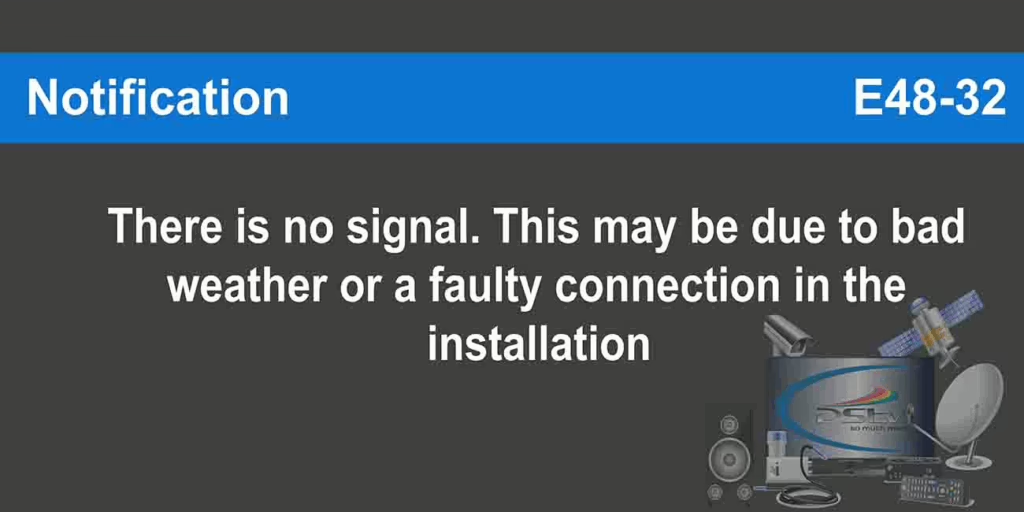
This message doesn’t necessarily mean your decoder is broken — it simply means your TV or DStv decoder isn’t receiving a satellite signal. This could be due to:
- A misaligned satellite dish
- Loose or damaged cables
- Bad weather conditions (heavy rain or wind)
- A faulty LNB (Low Noise Block converter)
- Incorrect input settings on your TV
- Or even a temporary signal outage in your area
Understanding the cause will help you apply the correct fix without wasting time or money.
🔧 Step 1: Check All Your Cables First
One of the most common reasons for a no signal message is loose or damaged cabling.
Follow these simple steps to check your cables properly:
- Turn off your DStv decoder and TV.
- Inspect the coaxial cable running from your dish to your decoder.
- Make sure it’s firmly connected to both the LNB and the decoder’s “LNB IN” port.
- Look for any bends, cracks, or frayed wires.
- If you find any damage, replace the cable or call an expert like Aerial Connect to repair it safely.
💡 Pro Tip: Avoid using very long coaxial cables — the longer the cable, the weaker your signal becomes.
📡 Step 2: Check Dish Alignment
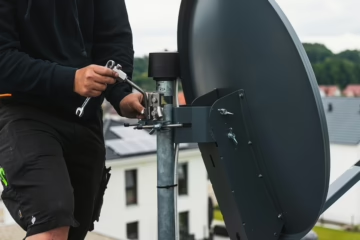
If your cables are fine, the next thing to check is your satellite dish alignment. Strong winds or storms can easily nudge the dish out of position.
When this happens, the dish can no longer “see” the satellite clearly, causing your decoder to lose signal.
Here’s what to do:
- Stand behind the dish and make sure it faces the same direction as nearby DStv dishes.
- If your signal loss started after a storm or windy day, that’s a big clue that alignment is the problem.
- You can slightly adjust the dish by moving it left or right — but do this carefully.
- If unsure, it’s best to call a professional DStv installer near you who can realign it using signal meters for accuracy.
👉 Need help fast? Tap the WhatsApp button below to chat with Aerial Connect and get a certified DStv technician to your home in minutes.
⚙️ Step 3: Check LNB Connection and Position
The LNB (Low Noise Block converter) is the small device mounted at the tip of your dish arm. It’s responsible for receiving satellite signals and sending them down the cable to your decoder.
If your LNB is:
- Loose,
- Cracked,
- Or misaligned,
Then your DStv signal will drop instantly.
To fix it:
- Make sure the LNB is tightly connected to the dish arm.
- Check the F-connector (the screw-type connector on the cable).
- If the plastic cover or cable looks worn, consider replacing it.
For an expert inspection, contact the DStv repair specialists at Aerial Connect for affordable same-day service.
🧭 Step 4: Check Signal Strength on Your Decoder
You can actually check your signal strength using your DStv remote and on-screen settings.
Here’s how:
- Press the “Help” button on your DStv remote.
- Go to General Information → Signal Strength.
- Check the signal level (should be above 75%) and signal quality (should be above 60%).
If the readings are low, that’s your confirmation that your dish needs adjustment or your LNB is faulty.
🌀 Step 5: Restart Your Decoder
Sometimes, your DStv decoder just needs a simple reset.
Follow these steps:
- Unplug the decoder from the power source.
- Wait for 30 seconds.
- Plug it back in and let it reboot fully.
This can help clear temporary signal glitches or decoder software errors.
If the issue persists after rebooting, it’s time to move on to more advanced solutions — which we’ll cover in the next section.
🧰 When to Call a Professional DStv Technician
If you’ve checked all the above and your decoder still says “No Signal,” the problem may be more technical.
Possible issues include:
- A damaged LNB feed horn
- A faulty DStv decoder tuner
- Corroded connectors
- Incorrect dish elevation or azimuth settings
These problems require special tools and experience to fix correctly. Don’t risk damaging your system — call a certified DStv technician from Aerial Connect for a quick and affordable fix.
🚀 Need Fast Help? Chat with Aerial Connect Today!
Whether you’re in Pretoria, Johannesburg, Centurion, or Roodepoort — Aerial Connect provides same-day DStv repairs, dish realignment, decoder replacements, and installation services across Gauteng.
👉 Click the WhatsApp button below to chat instantly with an expert and get your DStv back up and running — crystal-clear and signal-strong! CALL 081 730 1035